Showing posts with label Cash Register. Show all posts

How to Program Sharp Electronic Cash Registers

1- Power up the cash register by pressing the "Power" button. Setting the date and time will allow the correct date and time to be printed on all of your receipts. Use the keypad to enter in the date following the MM/DD/YY format. Press the "#/TM/SBTL" key after entering this information to save the date. Enter in the time using the 24 hour format, with hour first then the minutes. Press the "#/TM/SBTL" button again to save the time.

2- Obtain the correct tax rates for your business by contacting the local tax office for your city or county. This number will reflect local, state and federal tax rates for your particular business. Programming this number into the cash register will add these taxes to every transaction total, ensuring that the customer pays the correct amount for his purchase. 


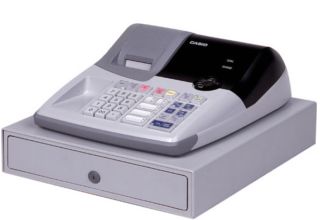
A cash register allows you to figure up totals faster and get customers in and out of your small business quickly. The Sharp line of electronic cash registers can be purchased for your business and features a programmable digital interface. By following the programming instructions, you can save tax information and total up a bill with the press of a few buttons.

3- Press the "#/TM/SBTL" button to begin programming your tax rate. Press the "9" button on the register's keypad, followed by the "@/FOR" button. You can save up to four different tax rates on your Sharp cash register. Press a number from 1 through 4 on the keypad to select the number where you want to save this particular tax, followed by the "@/FOR" button.

4- Enter in the tax rate by pressing the corresponding number buttons on the keypad. This number will represent the percentage of taxes paid by the customer (for example, "6" will be saved as 6 percent). Enter in a decimal point, if necessary. Press "@/FOR" to save. Next, enter in the lowest taxable amount, which in most cases will be 0. Press "@/FOR" again to save.


5- Press the "#/TM/SBTL" button when finished entering in the tax information. Press "CA/AT" to save this formula and return to ready mode.


How to Organize a Cash Register Drawer

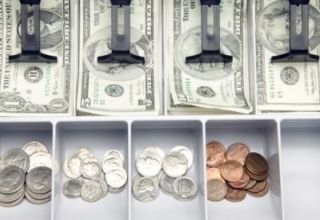
1- Sort the bills by denomination. Arrange each stack of bills so they all face the same direction, with the front of each bill facing up.

2- Place the stack of 1s in the slot of the cash drawer furthest to the left. Place 5s in the next slot, 10s in the next and 20s in the slot furthest to the right.

3- Place any bills larger than a 20 and all checks received in the compartment beneath the cash drawer.

4- Use paper clips or rubber bands to store bills in larger groups. Group 1s and 5s in sets of $25. Group 10s and 20s in sets of $100. Store the clipped sets in the compartment under the cash drawer.

5- Separate coins by denomination and place each pile in a separate section of the cash drawer. Start with pennies on the far left, nickels next, then dimes and finally quarters on the far right.

There are many situations in which you might find yourself responsible for handling money. Perhaps you work in a business that requires you to run a cash register. Perhaps you are involved in a fundraiser and have been put in charge of collecting donations. Whatever the situation, it is important to keep your cash register drawer organized. It will make it easier for you to make change and to count the money for accounting purposes, and it will help ensure your register balances at the end of the day.

6- Use coin rolls to contain excess coins. Store the coin rolls in the compartment underneath the drawer.

7- Open only one coin roll at a time to make it easier to count the coins at the end of the day.

Tips & Warnings

As you collect money, place the bills facing the same direction in the appropriate section of the drawer to keep it organized.

As you get an excess amount of any particular bill, clip the excess bills together in a set of either $25 or $100 and move it to the compartment under the drawer.

How to Train on the Cash Register at McDonalds

1- Take pen and paper with you to the register when you first train. Stay relaxed and understand you will not get everything immediately. As your trainer points out things, write down as much as possible. Depending on the work situation and if you are being trained with actual customers and time constraints, you may not have the opportunity to write everything down.


2- Plan to stay at the store after your shift ends. Use this time to review the layout of the register. Take a photo of the register layout to review later at home if this is allowed by your manager. If not, take this time to write as many notes as you need to take. Review your notes often. Over time, you will find you are remembering more details.

3- Ask other McDonald's employees for tips and tricks. Write this information down and review it often.

Training on the registers at any job is a learning experience and one you must practice to perfect. Cash registers at McDonald's fast-food restaurants are touch screen, which means you just touch the correct area of the screen to input orders. The screen has images of the food as well as the name. With time, you too will appear to be a McDonald's cash register pro and will be quickly able to enter orders.

4- Practice and ask questions while working with your trainer. You may have minimal time with a trainer near you so use this opportunity to ask as many questions as you need. If you feel you need additional training, ask the McDonald's manager if you can come in before or stay after your shift for help with the register. You may have to be willing to come in, off the clock, for additional training. This will be up to your manager.

5- Takes notes of the items on the menu and the ingredients used to make each item. Customers often ask what toppings are on an item, what type of oil is used, what condiments are used and other questions. Your manager will provide you with brief information but write it down so you can review it at home until you know each item.

6- Memorize the phrase your McDonald's store uses to recognize customers. The store manager may require the same greeting for each customer or may tell you several appropriate ways to greet customers. Knowing how to engage the customer and be polite and respectful is essential as the cash register employees are the front line of the customer experience.

How to Run an Electronic Cash Register

1- Turn the register to the appropriate mode or setting for accepting cash sales.

2- Enter the number that you have been assigned as an employee, also called a "clerk code." This code allows the owner to see who processed what cash transactions and how much he is responsible for in the drawer.

3- Enter in the price of the first item you are ringing up, using the numeric keypad. Some electronic cash registers also allow you to enter a "department code" or "item number" so that you know what item was sold. Press "enter" (or if there is a department or item code that you need to enter you will most likely need to press the appropriate department or item key again for the system to accept the price). Continue the same process for each item.


Many small retail stores choose to go with a basic electronic cash register to accept customer cash sales. These registers are inexpensive for the store owner to buy and maintain and easy for clerks to use. The process of running an electronic cash register is similar to using an adding machine, only you have a wider variety of options related to the sale and you can insert cash into the machine for safe keeping. This article will explain how to run an electronic cash register.

4- When finished, press "Subtotal" to get the final amount of the sale including tax. (You can always press the "Subtotal" key at anytime during the transaction, if the customer wants to see the amount that is currently due before proceeding).

5- Type in the amount of cash received from the customer. Then press the "Change" or "Cash" button. The electronic register should open to allow you to give your customer change. The receipt will print for the customer.

Tips & Warnings

If you are the store owner, be sure that the correct sales tax rate for your municipality is programmed into the electronic cash register along with the clerk codes for your employees. See the instructions for your specific register model. Make certain there is plenty of cash in the form of paper money as well as coins in your cash register before accepting customers. Keep a list of the department or item codes that are programmed into the register nearby for easy reference. You will need these codes to process returns as well as sales.

While you want plenty of change in the cash register, don't ever keep large bills in the cash register for long periods of time. Deposit your larger bills into a bank account as soon as possible.

How to Work a Fast Food Cash Register

1- Learn your job responsibilities. Some fast-food restaurants expect you to complete other responsibilities besides running the cash register.You may be in charge of getting certain items when people order them, such as condiments, kid's toys or ice cream, and making sure that sauces, cups and bags are stocked properly.

2- Learn the specials and combos. Make sure you memorize the food combo numbers and current specials. This way, when a customer identifies the meal they would like by the number, you are able to enter it without asking for details. You should also make sure you are up to date with promotions and prices. This will ensure that the customer's order is completed quickly and is correct.

3- Learn the buttons on the register itself. Sometimes the buttons on the cash register are unclear and will need further explanations from other employees. Make sure you know how to order each item using the cash register, including how to put in discounts and change or delete orders if the customer changes their mind

Working at a fast-food restaurant such as McDonald's or Wendy's can be stressful, especially if you are working the register. This job means plenty of responsibility. Orders need to be correct and completed in a timely manner. You must collaborate with your coworkers in order to make sure customers are satisfied with their meals and pleased with their overall experience at the restaurant.

4- Provide proper customer service. Being nice and friendly, both at the counter and through the intercom---if you are working at the drive-thru---will provide the customer with a pleasant experience and ensure they return to your restaurant. Your supervisors and coworkers will also notice your demeanor and be more willing to help you out when you need it.

5- Learn how to handle stress. Working a fast-food register can get hectic at times. It is important to learn how to control your stress and anxiety levels when things get crazy. Make sure you know how procedures work before the lunch and dinner rushes hit, and take deep breaths to remain calm. Don't allow rude customers and coworkers to influence the rest of your shift. By letting stress and rudeness not affect you, you will be more productive and efficient, which are the cornerstones of fast-food service.

How to Operate an NCR Cash Register

1- Unlock the Number 4 lock. This lock is located at the front of the cash drawer. The key labeled Number 4 will open this lock. While locked, the register may not be used.

2- Press the amount keys in the left hand bank of keys to enter the amount of the item to ring up the merchandise.

3- Press the key that corresponds with the type of transaction being rung up. For example, press "cash" for an item that will be paid in cash or press "charge" for a transaction that is being paid with credit.

4- Press the initial key that has been assigned to you as a sales associate. Each employee using the register should have a key assigned to them to be able to track errors or questionable transactions that arise later.


National Cash Register was founded in 1884 by John Patterson, who created the first mechanical cash register. Innovative business practices and a successful sales force made NCR cash registers standard equipment in stores across the country. The Ohio-based company was seen as a high-tech company. NCR assisted in breaking the German Enigma code during World War II. While cash registers remained NCR's main business for several decades, it became interested in computers in the 1950s. The company moved on to produce other products to assist businesses, including transistorized computers, barcode scanners and automated teller machines. (References, 1)

5- Press the large operating button on the right side of the machine to operate the register and complete the sale.

6- Use the "No Sale" button if you want to open the register without ringing a sale, such as to make change for a customer.
 

Tips & Warnings
Do not attempt to stop the drawer from fully opening. It must open all the way before it can be closed. The drawer must be closed before another transaction can be entered.


How to Teach Cash Register Use

1- Introduce a new employee to the cash register's various buttons and monitor screen organization. Describe the basic functions of the cash register in processing customer sales transactions, returns and exchanges.

2- Instruct the new cashier on how to load the receipt printer by removing an empty roll, dropping a new roll in and feeding it through the printer. Most receipt paper comes printed with colored ink at the end of the roll to alert the cashier when the paper needs to be changed.

3- Teach your employee how to count the cash register's till, a set amount of bills and coins for an individual cashier's shift. Advise him to maintain adequate levels of bills and coins for change in the cash drawer throughout the day by asking a manager for refills as needed.

4- Allow employees to practice ringing up different items by scanning each product's Universal Product Code (UPC) or entering the code manually into the cash register. Ask her to point out each product name, item number, UPC, price and quantity on the register's screen.

James Ritty invented the first cash register in 1879 to calculate sales totals and keep track of daily transactions. Since then, cash registers have become an invaluable machine for the operation of everyday business in retail establishments, fast food franchises and grocery stores alike. Employees use cash registers to process a large volume of sales transactions, returns and exchanges for customers. Taking the time to train your employees in proper cash register use can increase productivity, customer satisfaction and sales accuracy.


5- Show the employee how to apply special discounts to an order and scan coupons before totaling a sale and telling the customer the price. Cashiers should always check the date on a coupon to make sure it hasn't expired.

6- Demonstrate how to process the types of payment your business accepts, such as cash, gift cards, personal checks, money orders, credit and debit cards. Let your employee practice making change for cash payments by counting out the correct sum of bills and coins calculated by the cash register. Tell him to ask for identity verification when processing personal checks.

7- Teach your employee how to use the cash register's credit and debit card machine. Cashiers should ask a customer to swipe the card in the machine and wait for confirmation, then have the customer sign one receipt and keep the other. Inform your new cashier to store signed credit and debit card receipts inside the cash drawer.

8- Schedule the new cashier to observe an experienced employee at the register for at least an hour before allowing her to perform cash register transactions with supervision.

Tips & Warnings
Most item exchanges and returns require the assistance of a store manager. Returns are always given in the same form of the original payment, whether it was cash, credit or debit card.

Cashiers should always keep large bills over $20 beneath the cash drawer inside the register for safety.

About Cash Registers

History
James Ritty invented the first cash register in 1879 to stop employees from stealing. The patent was issued for the Ritty model cash register in 1883. Ritty, overwhelmed with his two businesses, sold the cash register to Jacob H. Eckert in 1884. Eckert, in turn, sold the company to John H. Patterson in 1884. Patterson renamed the company The National Cash Register Company. He added a paper roll to record sales, thus creating the receipt.
 In 1906, the first motorized cash registers were created by Charles F. Kettering, an employee of The National Cash Register Company.

Function
Cash registers are used to record sales and transactions. They are found in almost all retail stores, restaurants, hotels and shops. Cash registers were first invented to prevent employee theft and embezzlement and still serve that purpose today. However, modern cash registers include many more functions. They are able to monitor inventory, comprise detailed sales reports based on user-defined data and print detailed receipts for customers.
Cash registers consist of a mechanical or electronic calculating device connected to a drawer where the money is kept. Modern cash registers may also include bar code scanners, credit and debit card terminals, scales and check-stands. Many cash registers today are actually computers equipped with POS (Point of Sale) software.

About Cash Registers

Types
There are three main types of cash registers: the standard register, PC-based POS systems and self check-out counters. Standard cash registers are commonly found in retail stores and restaurants. They have minimal functions such as tracking sales of various departments and printing receipts. PC-based POS cash registers allow the cashier to scan an item's bar code, which retrieves pricing and other sales information. The customer is also able to pay for the goods with a credit card, debit card or check. Self check-out counters allow customers to scan the bar code of items themselves without a cashier. The customer then pays for the items via credit card--or in some cases, cash--directly through the terminal.

Benefits
Cash registers have many benefits in the retail world, or anywhere that sales are made. They keep track of sales and quickly process sales transactions. They also keep accurate records, which benefits both the business owner and the customer. POS cash registers have even more benefits than standard cash registers. They produce more detailed reports, track inventory and grow with the business without much hassle.

How to Program a Cash Register

When you program a cash register, you can store multiple settings that can be used each time that you operate the cash register. For variations, you should always refer to the instruction manual that comes along with your cash register purchase.
Instructions

1 - Plug in the power cord or insert batteries into the cash register. After installing the register tape, hit the "Program" key to get into the cash register's programming mode. Program the correct date and time first. Use the numerical keys to enter the time and date.

2 - Get a copy of your inventory. You will need to assign a code to each of the items you plan to sell. You will also need to know the retail price of each item.

3 - Enter the values into the cash register. While still in the program mode, click on the "Subtotal" key to enter the item code followed by the unit price with the decimals correctly entered in the appropriate spots. After each individual item is entered, you will select "Subtotal" again.

How to Program a Cash Register

4 - Set your sales tax for your cash register. While still in the programming mode, select the "Sales Tax" key. Enter the appropriate sales tax in decimal form. To apply the tax to all items programmed on the register, you will need to select each department key. Exit the programming mode once you are finished.

5 - Consider a POS software program to allow for automatic programming of your cash register. If your cash register is PC compatible you can use POS software for easy cash register programming. You install the program on your PC with your saved settings and then connect the register via a USB cable. For example, POS ezPower Cash Register software is a low priced program that you can consider.

How to Wire a Cash Drawer

A cash drawer is a rectangular container or compartment designed to hold money underneath a cash register. Whenever someone enters a cash sale into the computerized cash register, a computer or printer opens the cash drawer electronically. A cash drawer keeps the money secure by opening only when a cash sale triggers the cash register program. Installing the wires needed to connect a cash drawer to the computer and a power supply is an easy and straightforward task.

Instructions :

1-  Hold the USB cable supplied with the cash drawer, and plug it into an available USB port at the back of your computer. If you have a serial cable instead of a USB cable, plug the serial cable into a serial port at the rear of the computer.
  
How to Wire a Cash Drawer

   2-   Plug the USB cable into the USB port behind the cash drawer. If you're using a serial cable instead, plug it into its corresponding serial port at the back of the cash drawer.


  3-      Hold the power cord supplied with the cash drawer and plug it into the electrical connector behind it. Install the software that came with the cash drawer. Read the owner's manual and configure the settings of the cash drawer in the cash register program. Plug the power cord into a wall outlet. Test the cash drawer by ringing up a cash sale.


Cash Register Paper

Cash register paper is necessary for printing receipts, with many rolls in different forms to keep your printer going.
Having cash register paper on hand at all times is essential for any retail business. They are necessary for receipt printers to work, and are necessary equipment for most customers, so that they’re able to keep track of their purchases through receipts. Plus, you’ll find that there are also different types of cash register paper, and choosing the right kind is essential. You want to be sure that you can print a bold and clear receipt, but you also want to save money on your supplies, so that you can always afford to keep a lot of paper in stock, at all times.

Cash register paper is necessary for printing receipts, with many rolls in different forms to keep your printer going

One of the most important things when it comes to cash register paper of any kind, is ensuring that you have the right type of roll. You’ll find that some registers print with a wider receipt, and others with a slightly thinner type. You want to find the right thickness of paper for your machine, so that you can ensure it will be able to print every receipt without a problem. The wrong kind of paper can be disastrous, because it’s not properly formatted for the way that your machine prints. That means if the paper can even be used, the receipt may not be readable, or some items may not even appear on the list, even though they were purchased at the same time.

Cash register paper is necessary for printing receipts, with many rolls in different forms to keep your printer going

It’s also important to choose a type of cash register paper, in terms of how it will look once the receipts have been printed. You’ll find that premium paper stays clean and white, and allows you to print onto the receipt, without worry of the ink smudging or being rubbed off. However, this type is very expensive, and just isn’t affordable even if you’re buying in bulk. For that reason, you’ll want to go with a lower quality thinner paper. While it doesn’t look as good as the clean white alternative, you will still be able to see all of your information clearly, and you’ll be paying a much lower price as well.

Of course, you can even consider having custom printed cash register paper created, so that you’re able to have a unique design on the back of your paper. For example, some stores like to put return information on the back of every receipt, so that everyone is aware of the policy. You can put your store’s unique return policy on the back, which will enable you to instantly provide customers with information that they may need, in an extremely convenient place. Plus you can even put your business logo, so that your receipt is always easily identifiable.

When you’re looking to buy cash register paper of any kind, the best place to shop is always going to be online. Through websites like POSPaper.com you can order any type of paper you want, in bulk, for extremely low prices. This way, you get the cash register paper you need to keep your business going, at a low price that you’ll really appreciate.

Cash Register Scanner

The cash register scanner comes in many handheld forms, both corded and wireless, to allow you to read the barcode off your inventory.
There are several different types of cash register scanner models, and having the right type of your retail business is essential. Having the wrong kind can really slow the operation down, which leaves customers feeling disappointed and less likely to visit your store again in the future. That’s something that you want to avoid at all costs, and having the right type of hardware is the best way to do so. The right type of cash register scanner can help you blow through a line of customers very quickly, but without sacrificing the quality of service. That’s the key to ensuring that your retail store runs like a well oiled machine, so that you can keep your customers happy.

The most important thing is always going to be picking out the right type of cash register scanner, and that means ensuring that you have the best type for the kind of store that you run. This means you’re going to want to have a conveyor belt scanner, if you typically have items that go across a conveyor belt. These are commonly found at department stores, and grocers, and feature a very large scanner, with light that faces all different directions. The clerk simply needs to wave a product’s barcode over the scanner, and then it’s entered into the register automatically. This ensures that you can deal with customers incredibly quickly.

The cash register scanner comes in many handheld forms, both corded and wireless, to allow you to read the barcode off your inventory

If that type of system just isn’t right, you’ll want to go with a cash register scanner gun, that’s attached to the register directly. These are special types of devices that are hand held, so that you’re able to actually scan the barcodes yourself. This can be great for awkward items that just don’t fit inside a cart well, or for ensuring quick scanning of an item, so that a customer can pay, and then be on their way extremely quickly.

The cash register scanner comes in many handheld forms, both corded and wireless, to allow you to read the barcode off your inventory

Otherwise, you can go with the cash register scanner variant of the corded gun, and find a wireless version. These are more convenient, and use an electrical system to actually save barcode scan results, and then download them into a register or computer. This way, you can actually take the gun with you anywhere, scan a barcode for a customer, or even for inventory purposes, and then just download the results into your computer. This ensures you’re able to help customers anywhere, like never before. But what’s more, you’re also able to ensure that an inventory flows more smoothly than ever before, as you’re able to scan barcodes incredibly quickly.

When you’re looking to buy cash register scanner models of any type, there are a variety of places in which you can shop. Online stores like CentralRestaurant.com are actually ideal for literally any type of scanner that you could possibly need. No matter what type of cash register scanner you may be looking for, they will have what you want to run your business more smoothly. Plus you’ll be able to find the scanners you want, at a fraction of the price that you would normally expect to pay, and that’s agreeable for anyone.

How to Buy a Cash Register

Keep track of transactions in your business by using the cash register that works best for your individual needs. There are as many different types of cash registers as there are different businesses. Read on to determine the cash register you should buy for your business.

Instructions : 

1-    Track purchases from your business with a cash register that scans a bar code and makes a report of the transaction and item that was purchased. This type of cash register is perfect for businesses that have inventory to track.

2-      Select a cash register that has battery backup along with electrical source in the event of a power outage at the business. This type of cash register is probably most accessible by larger, more established businesses as they are more expensive than conventional registers.

How to Buy a Cash Register


3- Find a cash register that uses thermal paper for receipts. Heat prints a second copy of each transaction to further keep track of business dealings. One copy goes to the customer and one to your cash drawer, which is great for businesses that want paper copies of their daily transactions.

4- Utilize a ribbon print cash register if your business has a limited budget, as the ribbon replacements are less expensive than thermal paper. The disadvantage is having only one record of the transaction that will typically be given to the customer.

5- Make a list of the added features your business needs from a cash register for reference when shopping for one. For example, a small business with one employee will not need a clerk password option as much as a business with several employees will.

Tips & Warnings :

    The reports generated by a UPC-scan cash register cut down on inventory work.


How to Use a POS Cash Register System

A Point Of Sale (POS) system requires a fair amount of set-up before it is usable. The most popular POS system in use today is IBM's 4690 OS with general sales application. The OS provides an interface to all the peripheral devices, such as scanners and printers, while the application provides retailers with the ability to enter and manage product data. The general sales application helps retailers keep track of inventory, sales, restrictions and promotions.
Instructions

1-  Enter the UPC number for each item. Include the cost, sale price and department of the item to help track sales later.


How to Use a POS Cash Register System

2-  Enter age restrictions that apply to the item. Age restrictions are used to prompt the cashier to enter the customer's date of birth. The POS system will determine if the customer is able to purchase the item.

3-Enter quantity restrictions on the item if any exist. Certain cold remedies can only be purchased in small quantities to prevent using them to create illicit drugs.

4-Attach the POS printer, displays and scanners to the register. The hardware should be fully tested to insure that a bar code can be scanned and a receipt printed before putting the register into service.

5-Test restricted items at this time. Alcohol and tobacco products should prompt for date of birth ID which will restrict the sale of the item if the customer is underage.

Tips & Warnings

    Not all countries and states have the same laws governing restrictive items. Be sure to check local laws before offering items for sale.